

Create and verify your restaurant account so you can access the software and start setup.Documentation Index
Fetch the complete documentation index at: https://docs.ofatoura.com/llms.txt
Use this file to discover all available pages before exploring further.
Prerequisites
- Valid email address
- Strong password (letters, numbers, symbols)
- Access to your email inbox
Create your account
Open the signup page
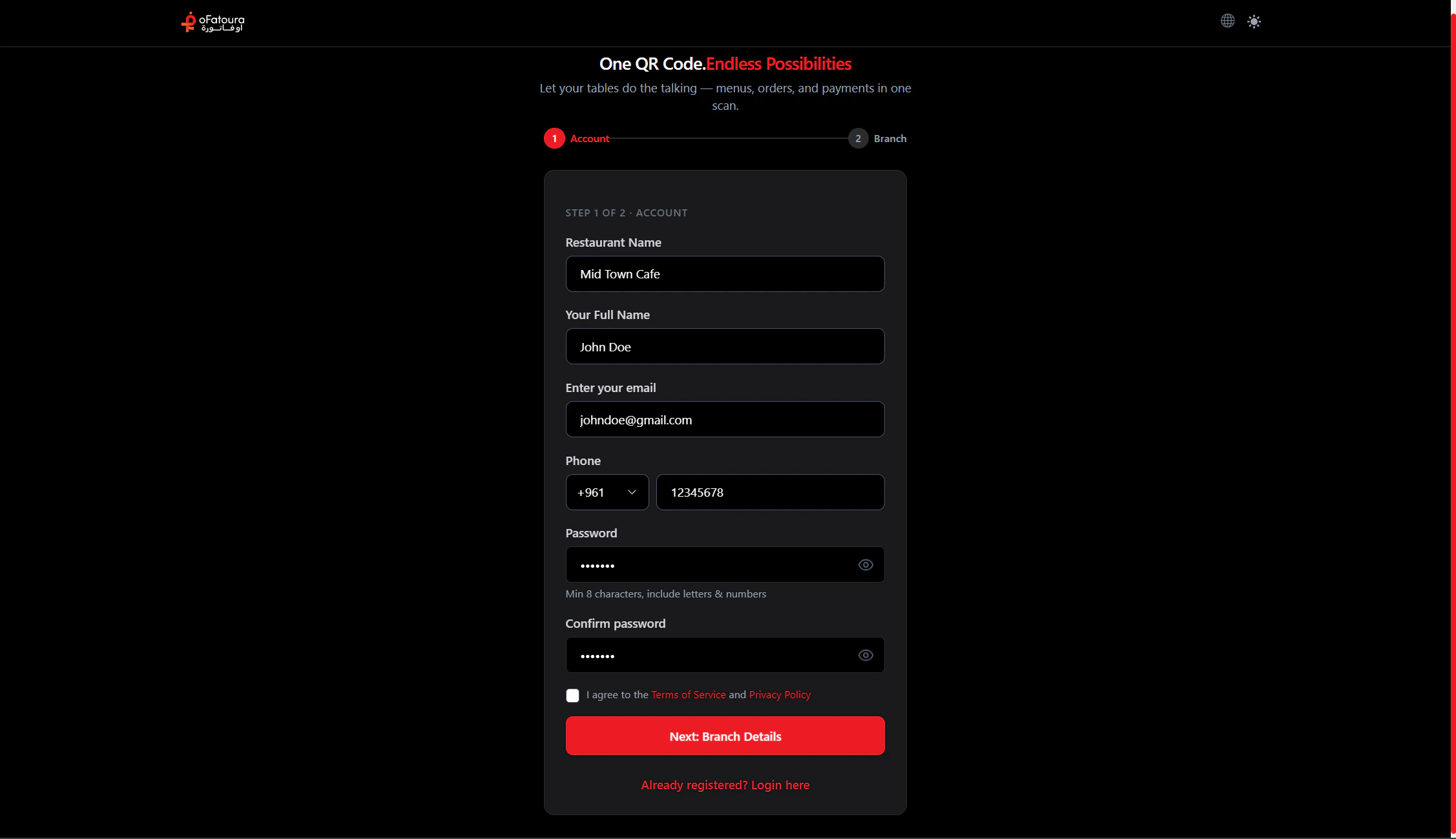
- Go to the restaurant signup page (e.g.
/restaurant-signup) - Locate the registration form
Enter your details
- Enter your full name
- Enter your email address
- Choose a password - follow on-screen rules (e.g. minimum length)
- Confirm your password if prompted
- Accept the terms of service if required
- Click Sign up or Create account
Verify your email
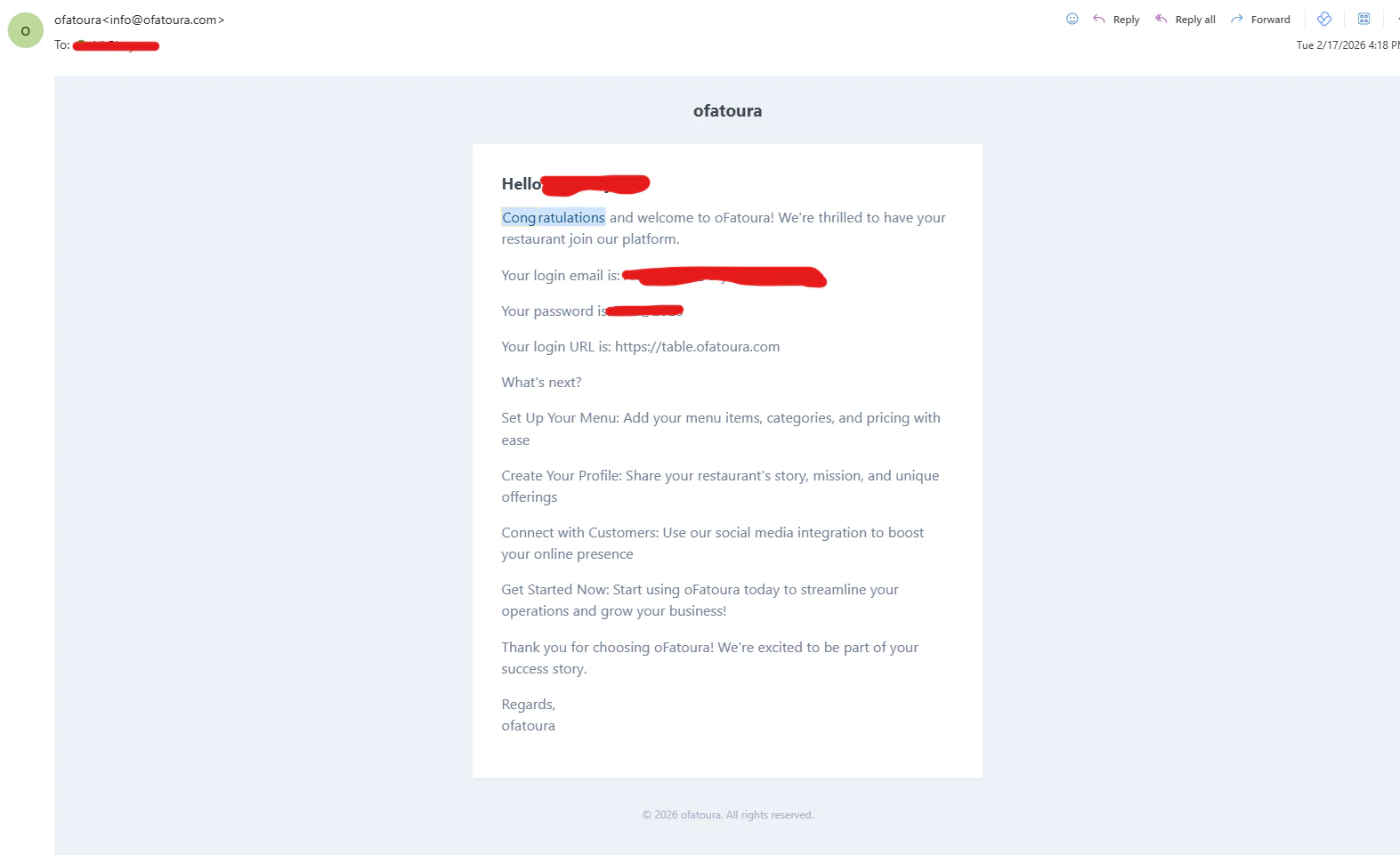
- Check your email inbox
- Open the message from the restaurant software
- Click the verification link
- Your account is now verified
Log in for the first time
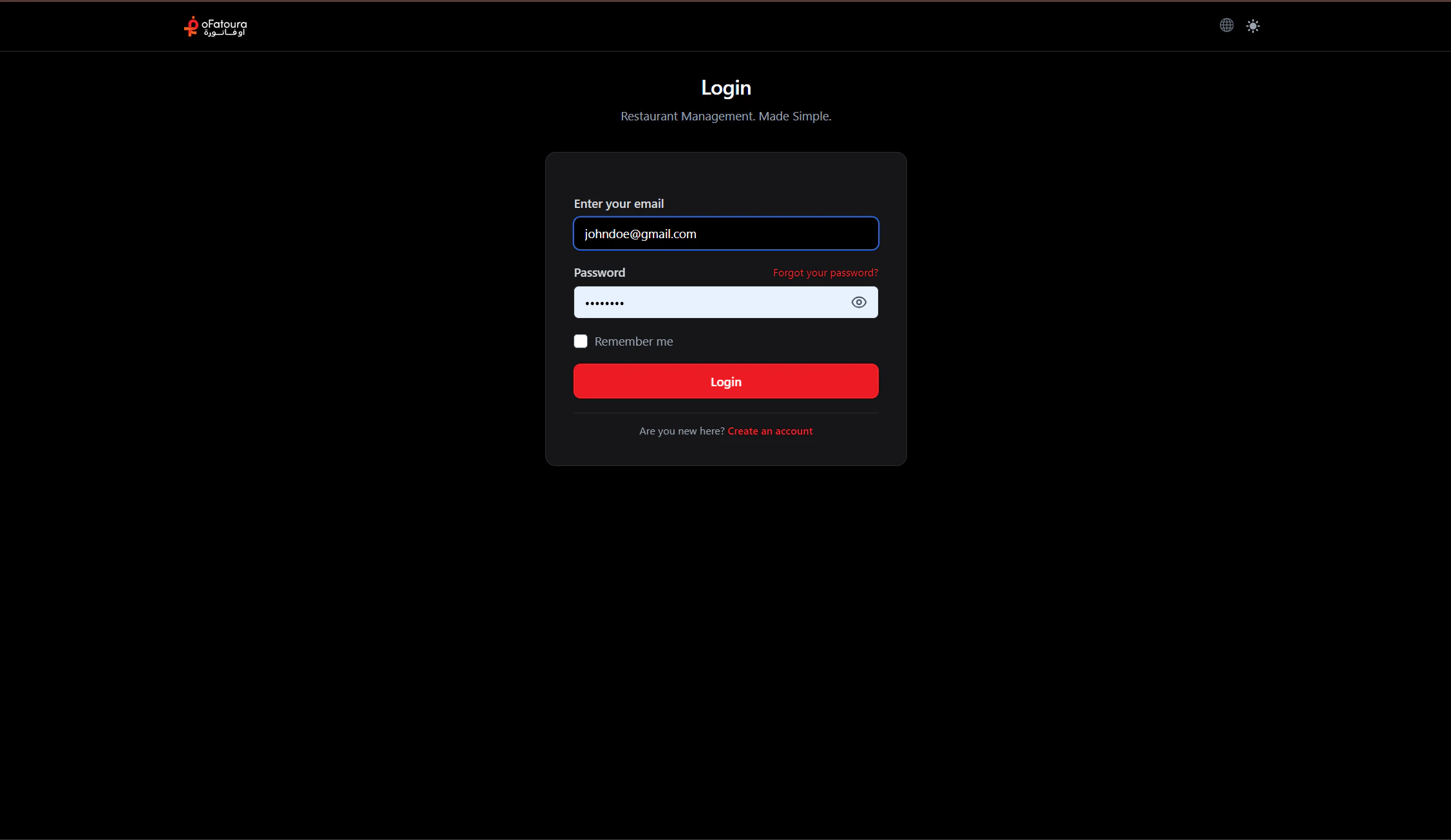
- Return to the login page
- Enter your email and password
- Click Login or Sign in
- You’ll land on the main dashboard or an onboarding screen
Common mistakes
| Mistake | How to avoid |
|---|---|
| Typos in email | Double-check before submitting |
| Weak password | Use a mix of letters, numbers, and symbols |
| Skipping verification | Open the email and click the link before logging in |
| Wrong login URL | Use the restaurant login page, not the customer site |
Next steps
Account created and verified. Proceed to Restaurant and branch setup.